Inline content editor
- Type
- Internal tool
- Timeline
- Jul – Aug 2026
- Role
- Design & build
- Stack
- Next.js · TypeScript · Claude
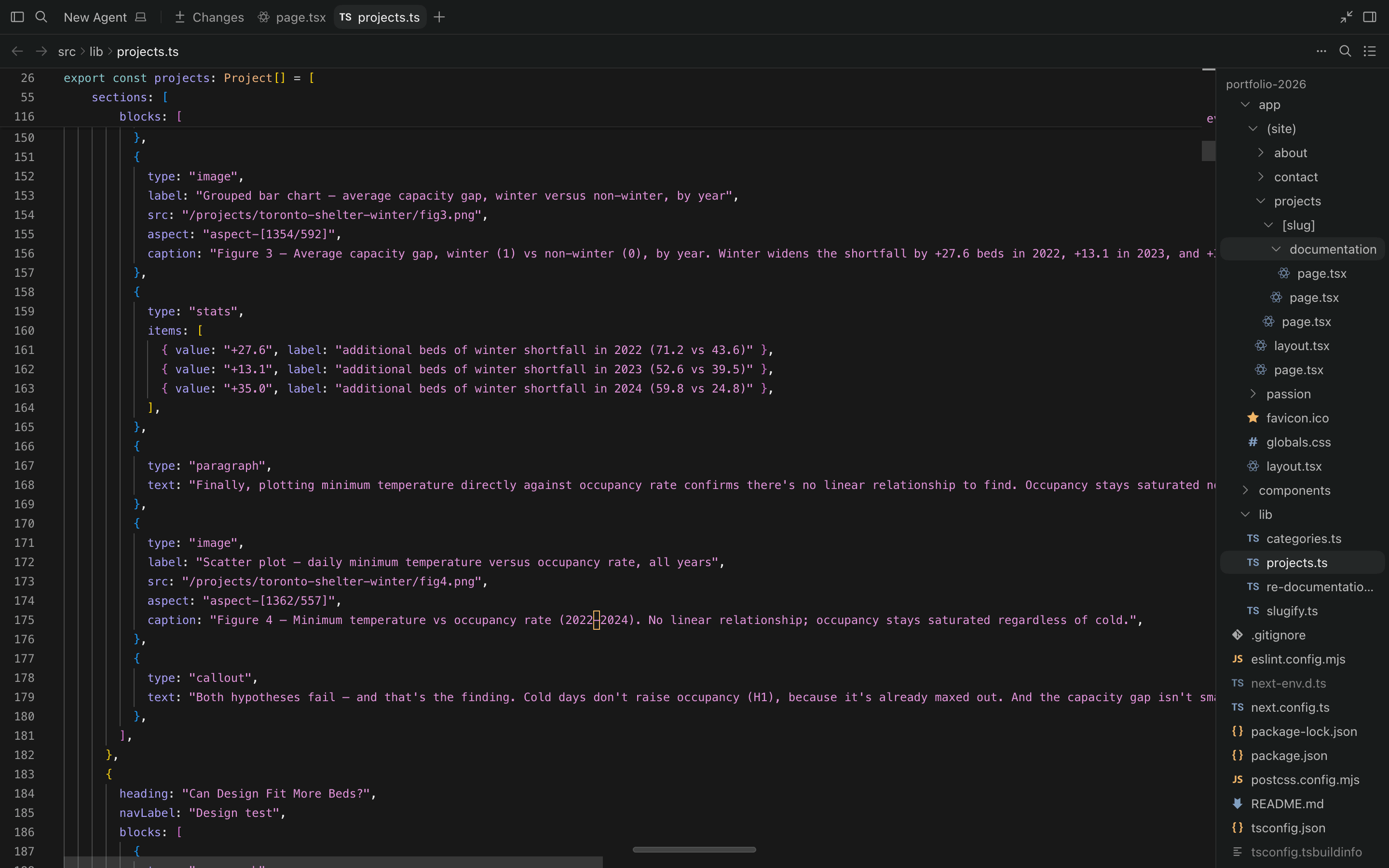
A dev-only editor built into the site itself: hover any piece of text, edit it in place or hand it to Claude to rewrite, and the change writes straight back to the content files as a reviewable diff — turning this portfolio into its own lightweight CMS.
The problem
Changing a headline or fixing a typo meant hunting through TypeScript, editing the right string literal without breaking the build, then redeploying. Small edits carried real friction — and real risk of shipping a mistake.
What I built
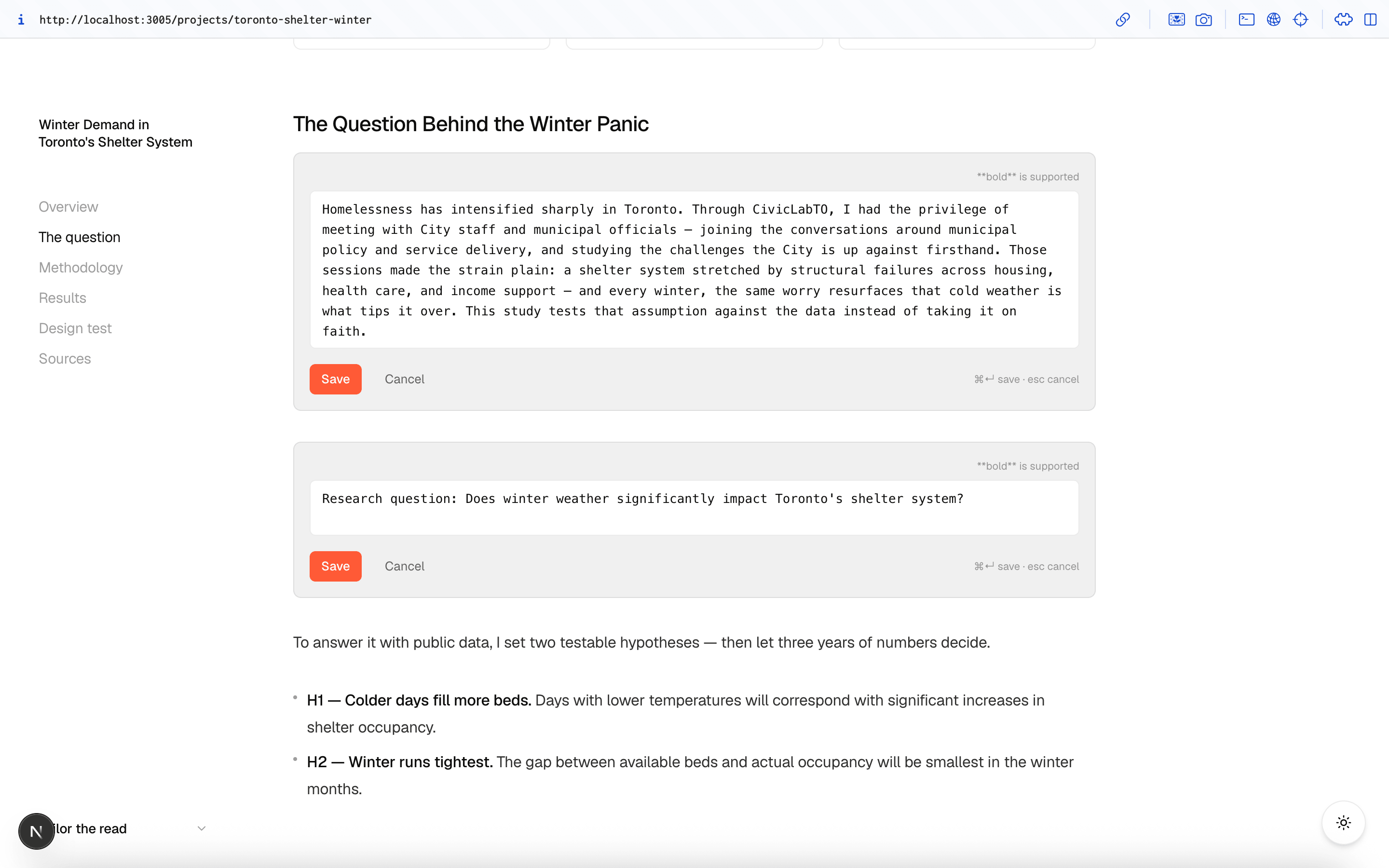
The same page you're reading becomes editable in development. Each editable region shows an affordance on hover; saving PATCHes the underlying JSON and hot-reloads the change — no separate admin, no deploy, and the edit is a plain git diff you can review or discard.
Undo, redo, and reordering
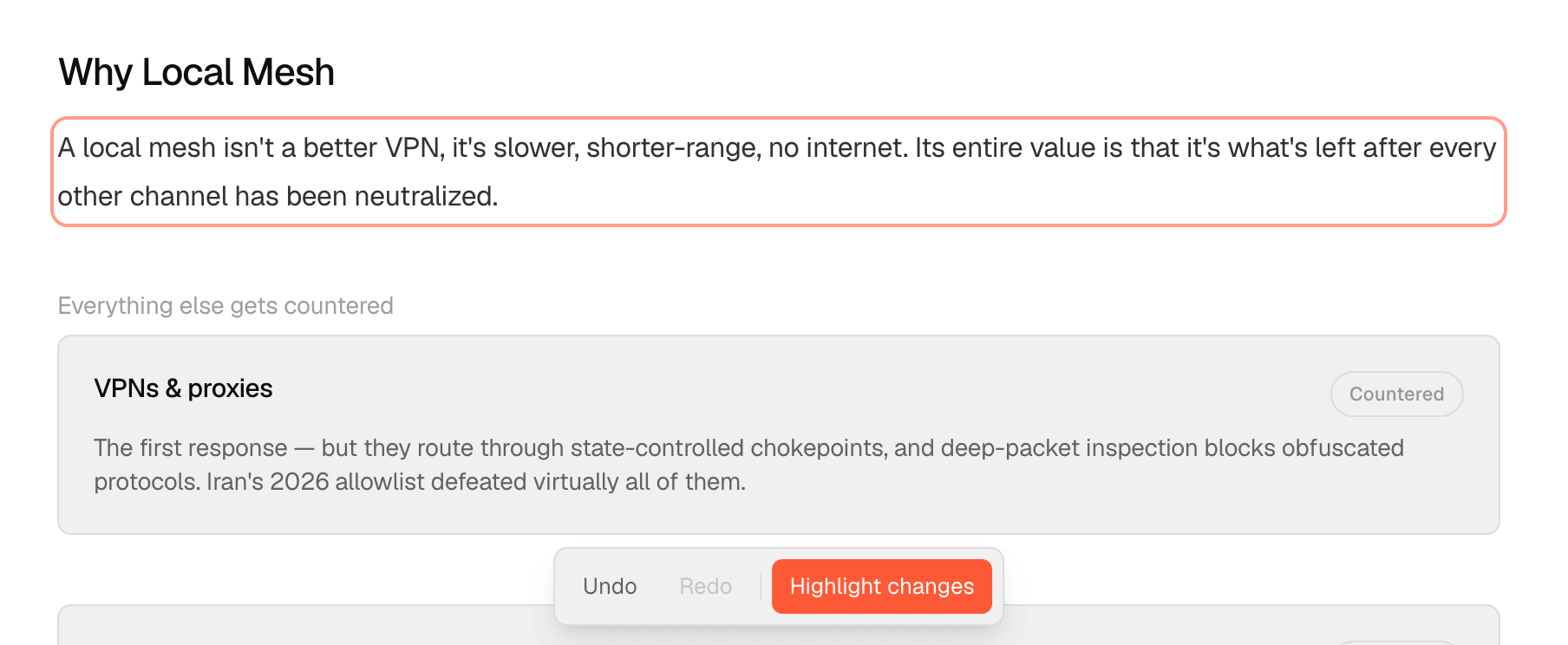
Every save — a text edit, a reorder, an insert, a delete — now lands on a shared undo/redo history instead of being final the moment it's written. A small toolbar (⌘Z / ⌘Y) sits at the bottom of every page, and a "Highlight changes" toggle marks anything touched this session. Sections, prose blocks, and About page entries (experience, volunteering, skills) also picked up ↑↓ reorder buttons, plus +/✕ to add or delete a sibling — a new block matches the type of the one it's added next to, so the format carries over automatically.
Refining with Claude
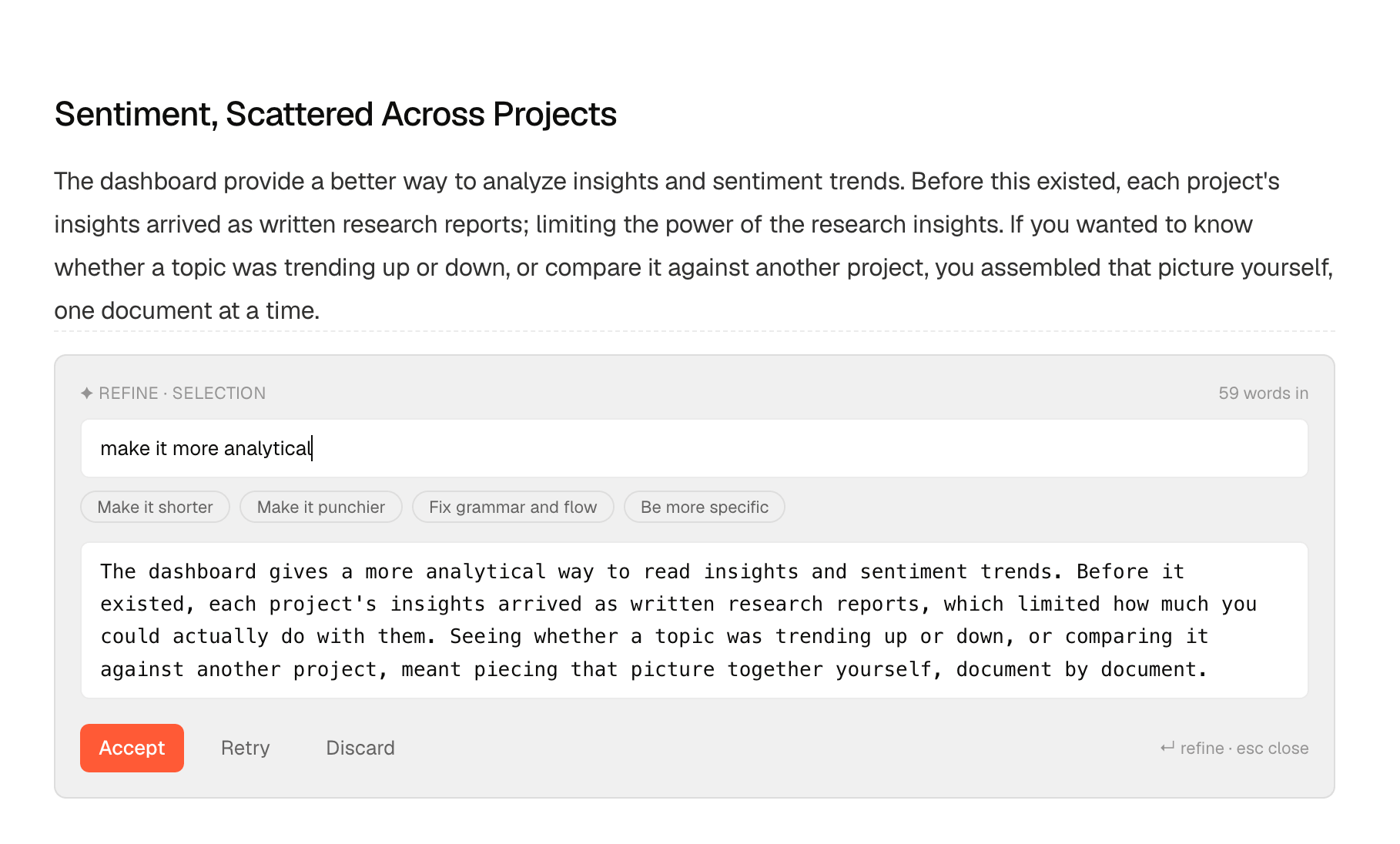
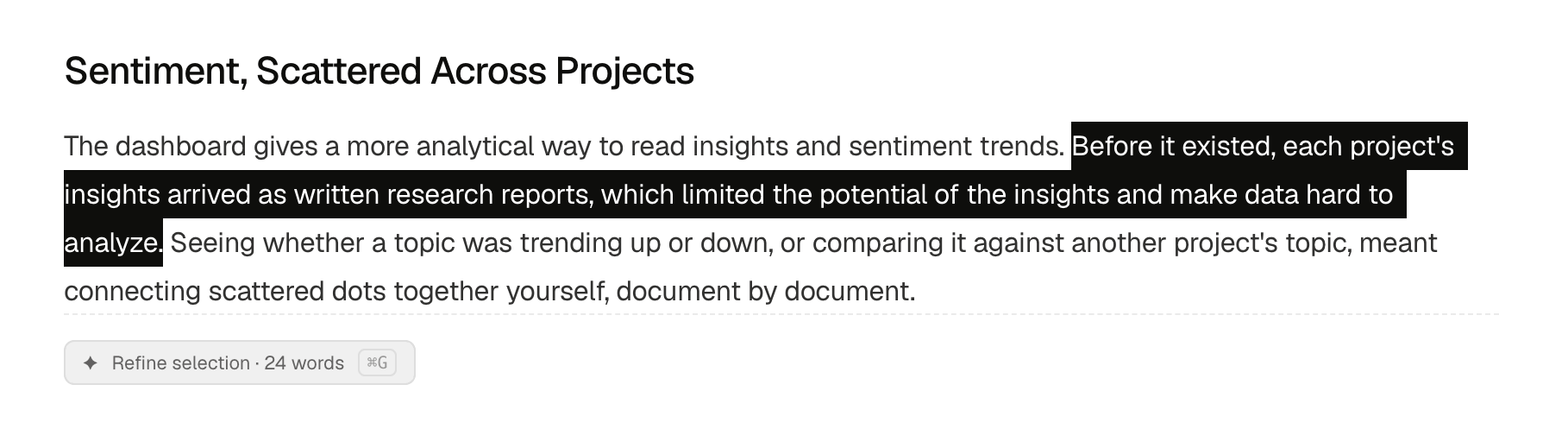
Rewriting a sentence is a different job from editing one, so the editor grew a second affordance for it. Describe the change in plain language — "make it more analytical", or one of four presets — and the rewrite comes back as a preview. Accepting it doesn't take a new path: the text is spliced into the same draft a manual edit would produce and saved through the same endpoint, so it lands as an ordinary reviewable diff and ⌘Z undoes it like any other change. Nothing is ever written without being shown first.
Two ways in
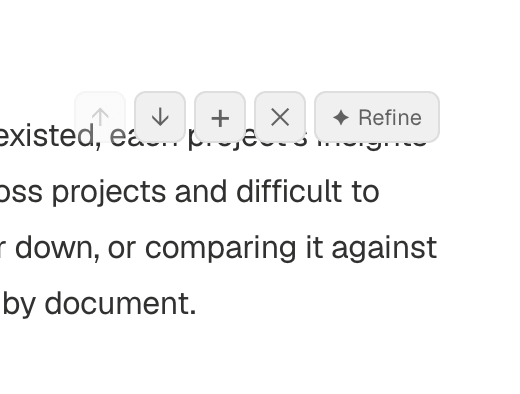
Highlight any text and a Refine pill appears, scoped to exactly what's selected — down to a single clause — with ⌘G to open it from the keyboard. For a whole paragraph there's a Refine button in the hover toolbar, alongside the reorder and delete controls it already had. Scoping stays limited to text that's already open for editing, and that's deliberate: the copy is stored as markdown, so a selection made over the rendered page wouldn't line up with the bold markers sitting in the file — close enough to look right, wrong enough to corrupt the formatting on save.
Keeping it honest
The first working version invented things. Asked to make "Defined outreach strategy and built the content stack" more specific, it returned templates, assets, and sequences — none of which were in the original. On portfolio copy that isn't a style problem but a false claim about my own work, and it reads plausibly enough to accept without noticing. The cause was structural: asking for specificity where there is none leaves nothing to do but invent. The fix was giving the model explicit permission to barely change anything — that returning something close to the original is a correct answer, and padding it with plausible detail is not. It all runs locally through the Claude CLI, so no content leaves the machine and there's no API key to manage.
Editing without a form
Paragraphs, headings, and leads — plus single-field entries like page and section titles — no longer swap out for a boxed form. Click straight into the text and it becomes the input, styled to match, with a dashed underline marking edit mode; saving happens on ⌘Enter or by clicking away.
Editing what each reader sees
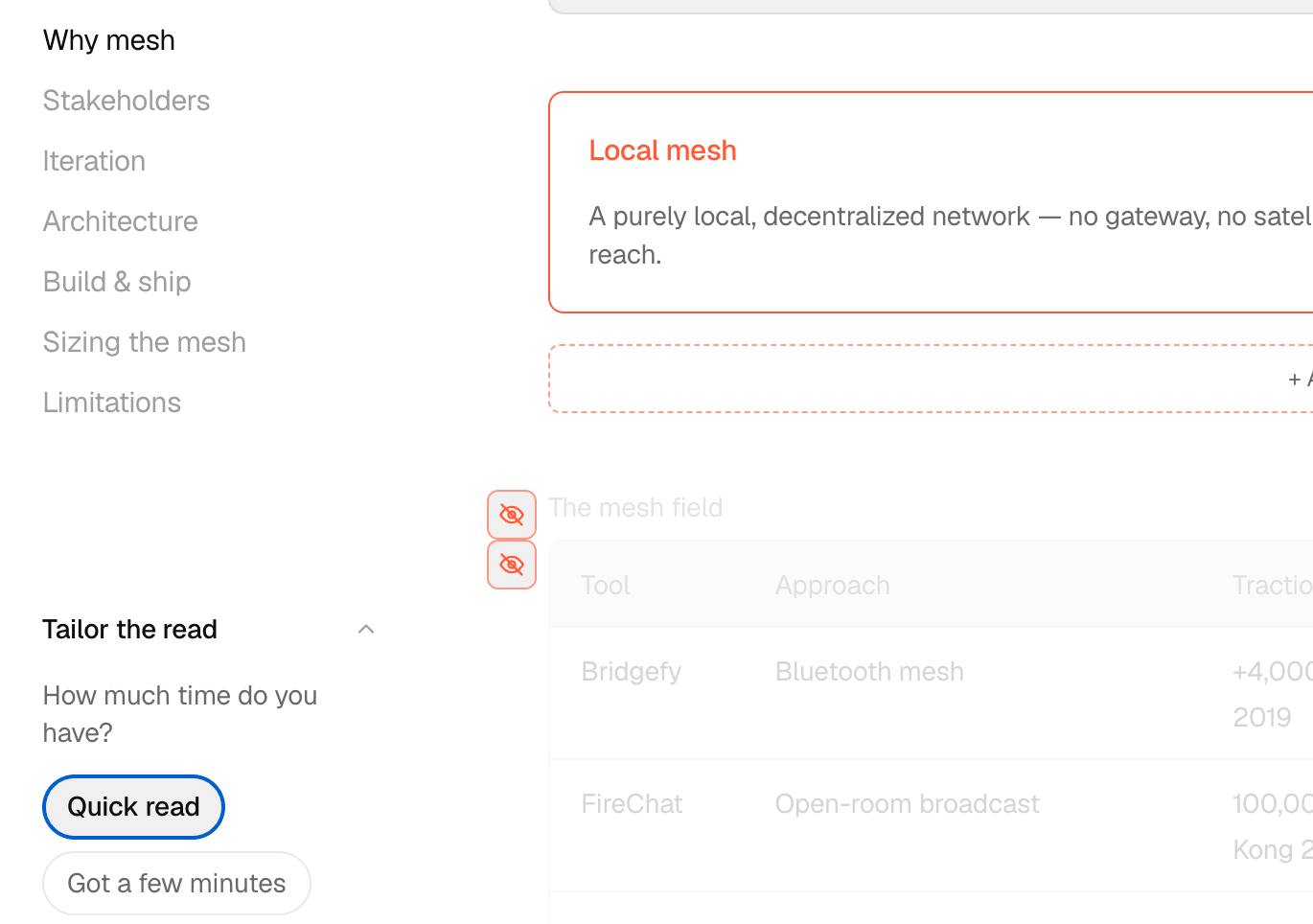
A case study serves two people at once: the recruiter with ninety seconds and the one who wants the research. "Tailor the read" gives a project three depths — quick, a few minutes, full — and each block declares the shortest read it belongs to. Deciding that block by block in a JSON file is guesswork, so the choice moved onto the page. In development every block grows an eye button in the margin, and whatever the current read drops is dimmed in place rather than removed — so you're reading the short version and the cut at the same time. One click hides a block from the selected read or brings it back, writing the tag to the content file through the same endpoint, guards, and reviewable diff as a text edit. Readers get plain CSS: no re-render, no second copy of the page, and nothing that hides a screen, a feature, or a section — the shorter reads trim the supporting detail around them.
Checking it against production
Every affordance that makes the page editable also makes it a poor sample of itself: dimmed blocks, dashed add buttons, hover toolbars, a control in every margin. Preview turns all of it off from the toolbar — chrome hidden, click-to-edit disabled, highlight rings dropped, and the read depths switched from dimming back to genuinely hiding. What's left is what a visitor gets, on the same page, without a build or a deploy. It's a toggle rather than a mode you have to leave and come back from, so checking a change costs one click in each direction.
Releases
- Aug 5, 2026
Preview, from the same toolbar
A Preview button beside undo/redo hides every editing affordance at once — hover toolbars, add buttons, highlight rings, the read-depth eyes — and puts read depth back on production's rules, so the page can be checked as a visitor sees it without leaving the editor.
- Aug 5, 2026
Read depth, edited from the page
Projects can now be read at three depths, and which blocks belong to each is set from the page itself: an eye button in the margin of every block hides it from the selected read or brings it back. Out-of-depth blocks dim instead of disappearing while editing, so the cut is visible as you make it. Also fixed a path bug this surfaced — in files with hidden blocks, the editor had been addressing the wrong entry.
- Jul 28, 2026
Guardrails against invented detail
Tightened what the model is allowed to do after it fabricated deliverables that were never in the source copy. It can now return a passage barely changed — the correct answer when an instruction asks for detail the original doesn't contain.
- Jul 28, 2026
Refine, powered by Claude
Highlight any text and describe how it should change. The rewrite streams back as a preview and only applies if you accept it — then saves through the same path as a manual edit, so it stays a reviewable diff and ⌘Z still undoes it. ⌘G from the keyboard, or a Refine button in the hover toolbar for a whole block.
- Jul 24, 2026
Editing without a form
Single-field text — paragraphs, headings, leads, page and section titles — is now edited by clicking directly into it, styled to match, with a dashed underline marking edit mode. No more swapping the whole block for a boxed form.
- Jul 24, 2026
Reordering and add/delete for lists
Added ↑↓ reorder buttons to project sections, prose blocks, About page entries, and Work page project cards, plus +/✕ to add or delete sections and text blocks — a new block matches the format of the one it's added next to.
- Jul 24, 2026
Undo, redo, and highlight changes
Every edit — including reorders, inserts, and deletes — can now be undone with ⌘Z and redone with ⌘Y from a toolbar on every page. A "Highlight changes" toggle marks whatever's been edited this session.
- Jul 24, 2026
Editing reached every page
Brought inline editing to the landing, work, about, and contact pages — project titles and summaries, focus pills, experience entries, and calls to action.
- Jul 23, 2026
Writes locked to this machine
Hardened the save endpoint — development-only, localhost-bound, and cross-origin requests refused — so an open write path can't be reached from anywhere else.
- Jul 23, 2026
Content lifted into JSON
Moved page and project copy out of TypeScript literals into JSON files, so every edit lands as a clean, reviewable git diff.
- Jul 23, 2026
Section headings made editable
Extended the editor beyond prose to section headings, which also move the anchors the sidebar table of contents links to.
- Jul 23, 2026
First inline editor shipped
A dev-only editor for prose blocks: hover any paragraph, click edit, and save straight to disk.
Interested in working together?
Let's talk about your project.